

Download Project Plan 365 – Free Gantt Chart, Team Collaboration & Scheduling Tool
Overview
Project Plan 365 is a modern, cloud‑enabled project‑management suite that brings the classic power of Gantt charts to today’s mobile and distributed workforces. Designed for busy professionals, project managers, and teams that need to juggle multiple tasks, resources, and deadlines, this tool delivers a familiar Microsoft Project‑style interface while adding cross‑platform flexibility. Whether you’re on a Windows PC, macOS laptop, iPad, Android tablet, or any web browser, Project Plan 365 lets you create, edit, and share detailed schedules in real time.
The software includes a free trial, so you can explore its robust feature set without any upfront commitment. Its core strength lies in visual timeline planning, resource allocation, and the ability to store files locally or on popular cloud services like Google Drive, OneDrive, Dropbox, and SharePoint. With multilingual support, multi‑currency budgeting, and offline capabilities, it’s built to handle the complexities of global projects while keeping data secure and private.
In short, Project Plan 365 offers a comprehensive, secure, and easy‑to‑use solution for anyone looking to streamline team collaboration, track progress, and keep projects on schedule.
Key Features
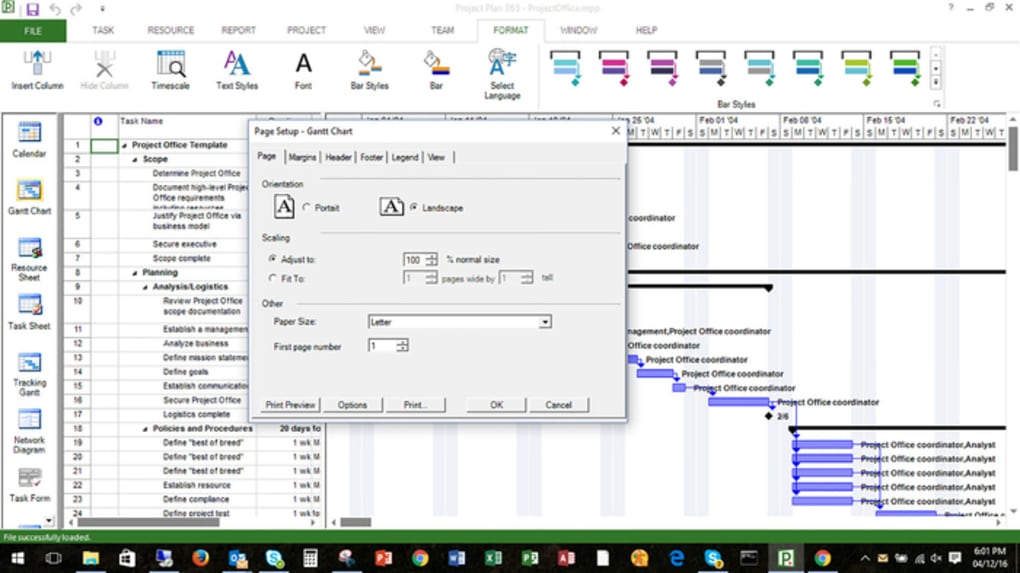
- Intuitive Gantt Chart Builder: Drag‑and‑drop tasks, set dependencies, and adjust timelines with a visual interface that mirrors classic Gantt chart methodology.
- Cross‑Platform Compatibility: Native apps for Windows, macOS, iOS, Android, plus a responsive web version that works in any modern browser.
- Cloud Integration: Seamlessly open, save, and share projects via Google Drive, OneDrive, Dropbox, SharePoint, or local storage.
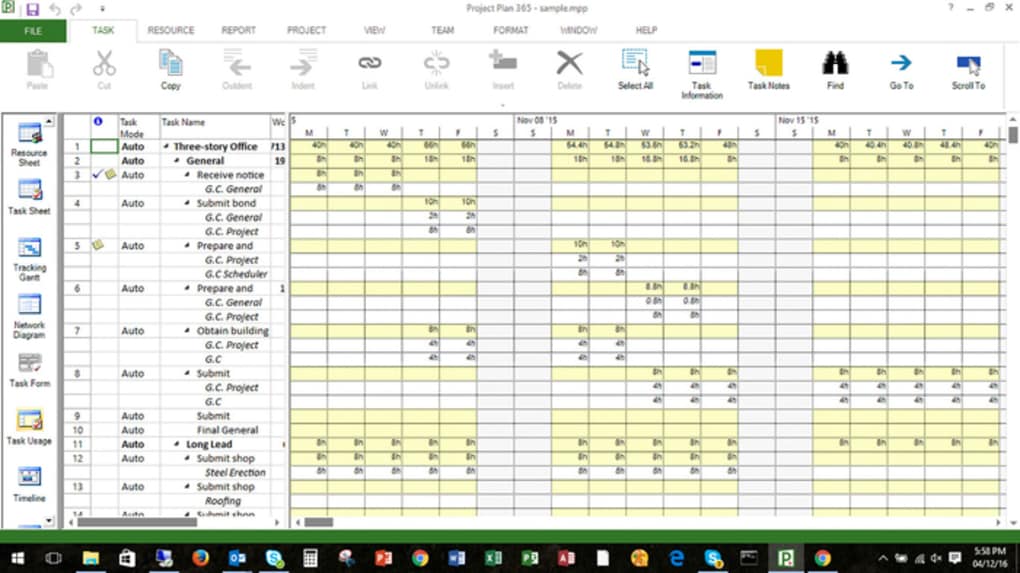
- Resource Management: Assign team members, equipment, and budgets to tasks, then generate allocation reports with a single click.
- Offline Mode: Continue editing schedules without internet access; changes sync automatically once you’re back online.
- Multi‑Language & Currency Support: Over 12 languages and multiple currency options ensure global teams can work in their native formats.
- Advanced Reporting: Export to PDF, Excel, or CSV; create financial reports, critical path analysis, and custom views for stakeholders.
- Security First: End‑to‑end encryption, no backdoors, and role‑based permissions protect sensitive project data.
- Touch‑Optimized UI: Fully functional on tablets and touch‑screen devices, making field work and on‑site updates effortless.
- MS Project Compatibility: Import and export .mpp files, allowing smooth migration from legacy systems.
Installation & Usage Instructions
Getting started with Project Plan 365 is straightforward, whether you prefer a desktop installer or a cloud‑first approach. Follow these steps to download, install, and begin managing your projects:
- Choose Your Platform: Visit the official Project Plan 365 website and select the appropriate installer for Windows, macOS, iOS, or Android. For web users, simply click “Launch Web App” to open the browser‑based version.
- Download the Installer: Click the “Download Free Trial” button. The installer size is under 150 MB, making it quick to download even on slower connections.
- Run the Installer: On Windows, double‑click the .exe file and follow the on‑screen prompts. macOS users will open the .dmg file, drag the app to the Applications folder, and confirm any security prompts.
- Create an Account: After installation, launch Project Plan 365 and sign up with your email or use a Microsoft/Google single‑sign‑on. The free trial provides full access to all features for 30 days.
- Set Up Your First Project: Click “New Project,” choose a template or start from scratch, and begin adding tasks. Use the ribbon‑style toolbar to set start/end dates, assign resources, and define dependencies.
- Connect Cloud Storage: Navigate to Settings → Cloud Integration and link your preferred service (Google Drive, OneDrive, etc.). This enables real‑time collaboration and automatic backups.
- Share & Collaborate: Invite teammates by email or generate a shareable link. Assign edit or view‑only permissions, and watch updates appear instantly on all devices.
- Export & Report: When you need to present progress, use the Export menu to generate PDF timelines, Excel resource sheets, or CSV data files for further analysis.
Throughout the trial, the built‑in help center offers video tutorials, step‑by‑step guides, and a searchable knowledge base. After the trial expires, you can upgrade to a paid subscription, which unlocks unlimited projects, premium support, and advanced reporting tools.
Compatibility & System Requirements
Project Plan 365 is engineered to run smoothly on a wide range of operating systems and devices, ensuring that every member of your team can participate regardless of hardware preferences.
- Windows: Windows 10 (64‑bit) or later; 2 GHz processor; 4 GB RAM (8 GB recommended); 200 MB free disk space.
- macOS: macOS 10.14 (Mojave) or later; Intel or Apple Silicon (Rosetta 2 required for Intel apps); 4 GB RAM (8 GB recommended); 200 MB free disk space.
- iOS & iPadOS: iOS 13 or later; iPadOS 13 or later; compatible with iPhone, iPad, and iPod Touch; 150 MB app size.
- Android: Android 8.0 (Oreo) or later; ARM or x86 architecture; 150 MB app size.
- Web Browser: Latest versions of Chrome, Edge, Firefox, Safari, or Opera; JavaScript enabled; internet connection for cloud sync (offline mode available).
Because the application stores data both locally and in the cloud, it works equally well on high‑performance workstations and modest laptops. The offline capability ensures that field workers can continue updating schedules without an active internet connection, with changes automatically syncing once connectivity is restored. Security is baked into the platform: all data transfers are encrypted via TLS 1.3, and the software does not contain any hidden telemetry or back‑doors.
Pros, Cons & Frequently Asked Questions
Pros
- Highly intuitive Gantt chart interface that mirrors Microsoft Project standards.
- Full cross‑platform support – Windows, macOS, iOS, Android, and web.
- Robust cloud integration with major storage providers for seamless collaboration.
- Offline mode guarantees uninterrupted work in remote locations.
- Multilingual and multi‑currency capabilities simplify international projects.
- Strong security model with end‑to‑end encryption and role‑based access.
Cons
- Advanced reporting features are locked behind higher‑tier subscriptions.
- Learning curve for users unfamiliar with traditional Gantt chart concepts.
- No built‑in chat or instant messaging; relies on external collaboration tools.
Frequently Asked Questions
Is there a free version of Project Plan 365?
Project Plan 365 offers a 30‑day free trial with full access to all features. After the trial, you can continue with a paid subscription; there is no permanently free tier.
Can I import Microsoft Project (.mpp) files?
Yes. Project Plan 365 supports both import and export of .mpp files, making migration from existing Microsoft Project schedules seamless.
Does the software work offline?
Absolutely. All core editing functions are available offline; changes synchronize automatically when you reconnect to the internet.
What cloud services are supported for file storage?
Project Plan 365 integrates with Google Drive, OneDrive, Dropbox, and SharePoint. You can also save files locally on your device.
Is the data encrypted?
Yes. All data in transit is protected with TLS 1.3 encryption, and stored files are encrypted at rest on supported cloud platforms.
Project Plan 365 delivers a powerful, yet user‑friendly Gantt chart experience that scales from solo freelancers to large enterprises. Its cross‑platform flexibility and robust cloud syncing set it apart from many competitors. While premium reporting is reserved for higher‑tier plans, the overall value and security make it a top choice for teams that need reliable schedule management.
Conclusion & Call to Action
In today’s fast‑paced work environment, having a reliable, secure, and versatile scheduling tool is no longer a luxury—it’s a necessity. Project Plan 365 meets that need by blending classic Gantt chart methodology with modern cloud collaboration, multi‑device accessibility, and strong data protection. Whether you’re a project manager coordinating a global rollout, a small business owner tracking multiple client engagements, or a field team needing real‑time updates, this software offers the flexibility and depth required to keep projects on track and resources efficiently allocated.
Ready to experience a smoother, more visual way to manage your projects? Download Project Plan 365 today and start your 30‑day free trial. Take advantage of the seamless cloud sync, offline editing, and powerful reporting features to elevate your team’s productivity and deliver projects on time, every time.







